Less operational drift
Keeping schedule, dispatch, and post-flight data together reduces the gaps that appear when clubs use separate tools.
Flight operations
Contact Ground helps clubs keep the operational story together: what was scheduled, what was flown, what changed, and what needs attention afterward.
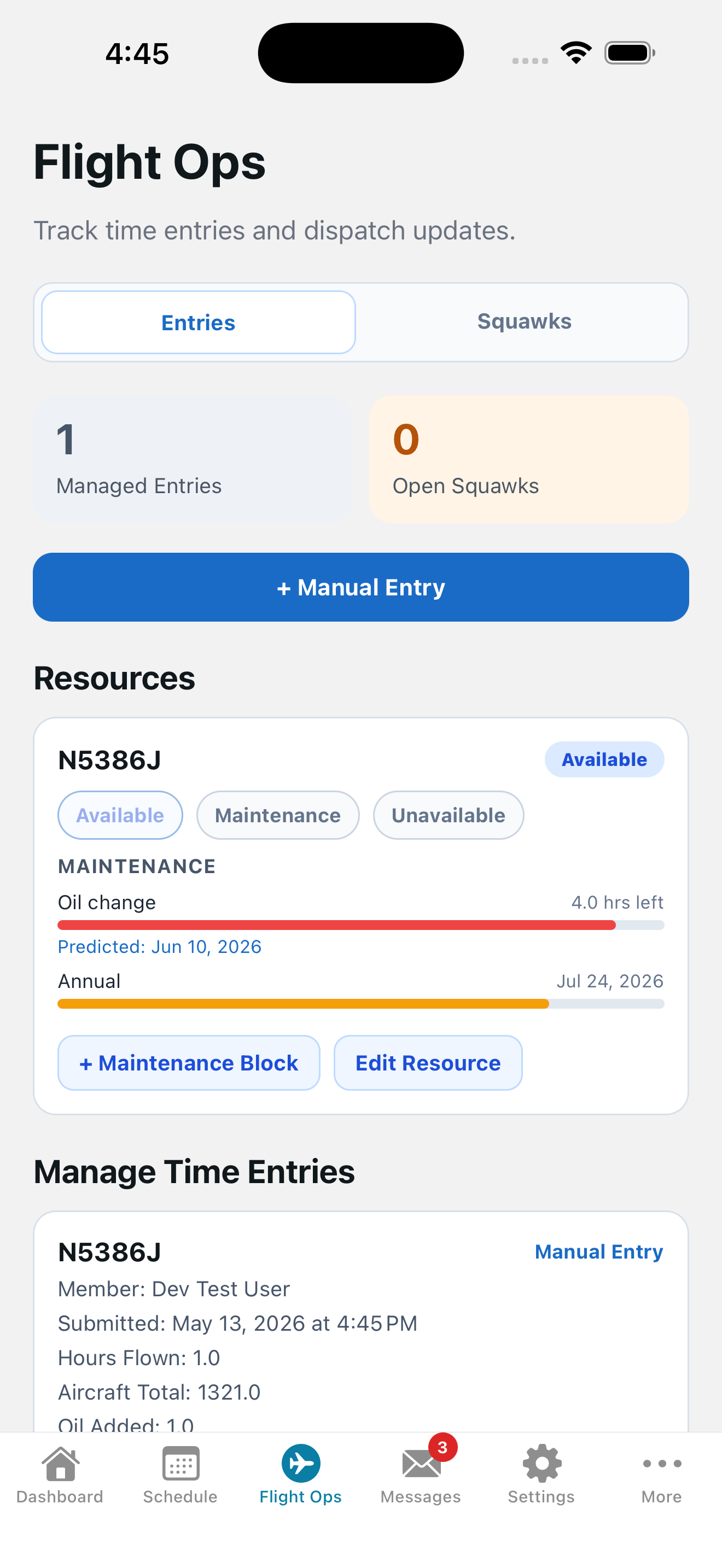
A reservation is only the beginning. Clubs still need to track flight-hour records, squawks, and other operational details after the aircraft returns.
Play by play
Flight operations workflows stay connected to the scheduled activity and aircraft. Members can see upcoming maintenance needs while booking the flight.
Our schedule brings weather, aircraft status, endorsements, currency, and instructors together for better decision-making. Pre-flight notifications include resource-specific checklists so members remember all necessary steps.
After the flight, members can quickly log flight hours, notes, squawks, and oil usage through the mobile app. All necessary information is captured while it's still fresh, and is fed directly to the operations team for review.
Squawks are easy to enter and are automatically linked to the relevant aircraft and flight, ensuring nothing is overlooked.
Members see upcoming maintenance tasks while booking flights, helping them stay aware of limitations. Maintenance reminders ensure operations are made aware in plenty of time to schedule the activity. Usage-based maintenance events are predicted and sent based on aircraft usage patterns.
Keeping schedule, dispatch, and post-flight data together reduces the gaps that appear when clubs use separate tools.
Operations roles can focus on exceptions and incomplete items instead of manually checking every flight.
Pilots get clearer steps; operations staff get cleaner records.
Schedule a demo and we will walk through the workflow using a flying-club scenario, not a generic software tour.