Reduce message churn
Availability gives members a better starting point and reduces repeated “are you free?” conversations. Members can receive notifications when instructors post availability blocks.
Instructor availability
Contact Ground helps instructors publish availability and helps clubs turn training demand into scheduled reservations with less back-and-forth.
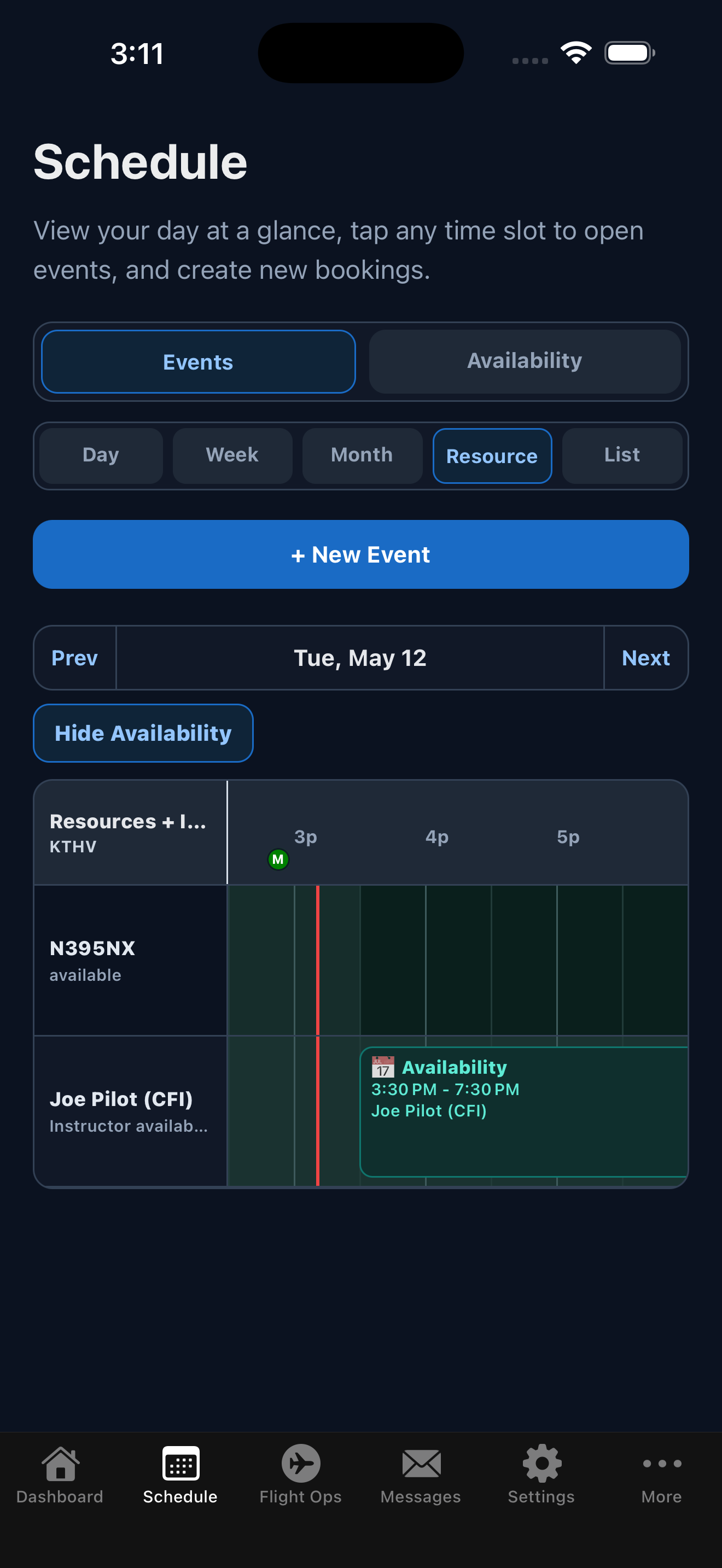
Instructors can share their availability directly within Contact Ground, reducing the need for back-and-forth messages. Contact Ground brings availability into the scheduling workflow.
Play by play
Instructors can post availability windows that members and schedulers can use as planning context.
Members can work from visible availability (aircraft and instructor) instead of asking every instructor separately. Members can request all or part of an instructor's availability.
Instructors can instantly manage requests and convert directly into scheduled calendar activity. Availability is updated automatically to reflect changes.
Instruction blocks are booked to the student, with instructors copied. This allows members to book resources for instruction purposes before they receive endorsements to fly on their own. It also keeps the instructor's personal flights separated from instruction flights.
Availability gives members a better starting point and reduces repeated “are you free?” conversations. Members can receive notifications when instructors post availability blocks.
Training flights often need instructor, aircraft, and weather context at the same time.
Availability can be published and managed without giving every member unrestricted scheduling control.
Schedule a demo and we will walk through the workflow using a flying-club scenario, not a generic software tour.