Built for repeat use
The mobile experience favors quick checks and direct actions over a brochure-style interface.
Mobile app
Contact Ground puts scheduling, operational context, weather, notifications, and member workflows on the phone members already carry.
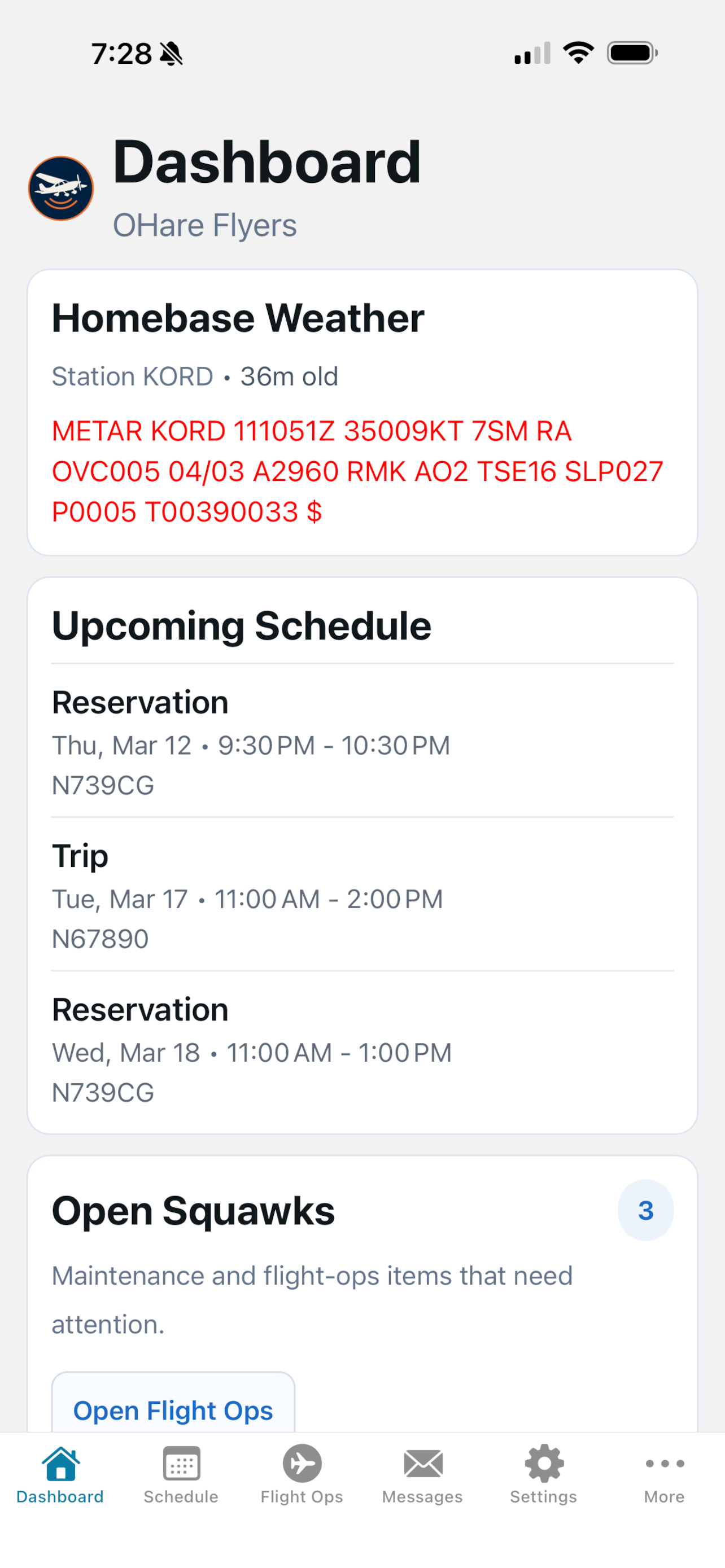
The mobile app is not a marketing companion. It is where members check the schedule, review weather, respond to club updates, and handle operational tasks.
Play by play
Members see organization context, upcoming schedule, weather, reminders, and role-specific actions.
Mobile calendar views help members inspect reservations and resource availability away from a desktop.
Club updates, schedule changes, and reminders reach members where they are likely to respond.
Flight ops, messages, documents, and settings remain accessible without forcing members back to the web app.
The mobile experience favors quick checks and direct actions over a brochure-style interface.
Members, instructors, operations staff, and administrators can each see the workflows relevant to them.
Weather, schedule, aircraft status, and notifications are most valuable when pilots are already moving.
Schedule a demo and we will walk through the workflow using a flying-club scenario, not a generic software tour.